New ParentSquare feature for families who use Apple devices! 🍎📲
Starting Oct. 1, families who use an eligible Apple device can receive Gates Chili Central School District messages through Apple Messages for Business.
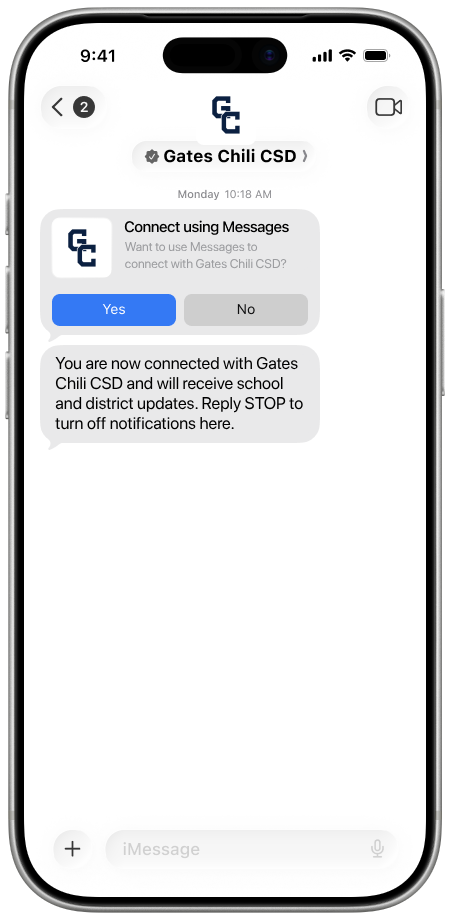
You’ll receive an invitation in your Messages app asking whether you want to connect with Gates Chili CSD. When the invitation appears, select “Yes.”
Once you connect:
Messages will display Gates Chili CSD’s name and logo.
You won’t need to download or log in to the ParentSquare app for most interactions.
You’ll be able to use forms, buttons and other interactive features directly in the message thread.
The invitation will appear as a “Connect using Messages” prompt with “Yes” and “No” options. Connecting takes only a few seconds.
Families who use Android devices or don’t connect will continue receiving text messages as they do today. No one will lose access to district messages.
Please watch for the invitation beginning today, Oct. 1 and select “Yes” to connect.